WhatsApp UX Redesign

Overview
This project explores small but impactful UX improvements to WhatsApp, focusing on reducing everyday friction without altering the core experience users are already familiar with. The redesign is a self-initiated concept aimed at improving efficiency, clarity, and content management through subtle interface changes.
Problems
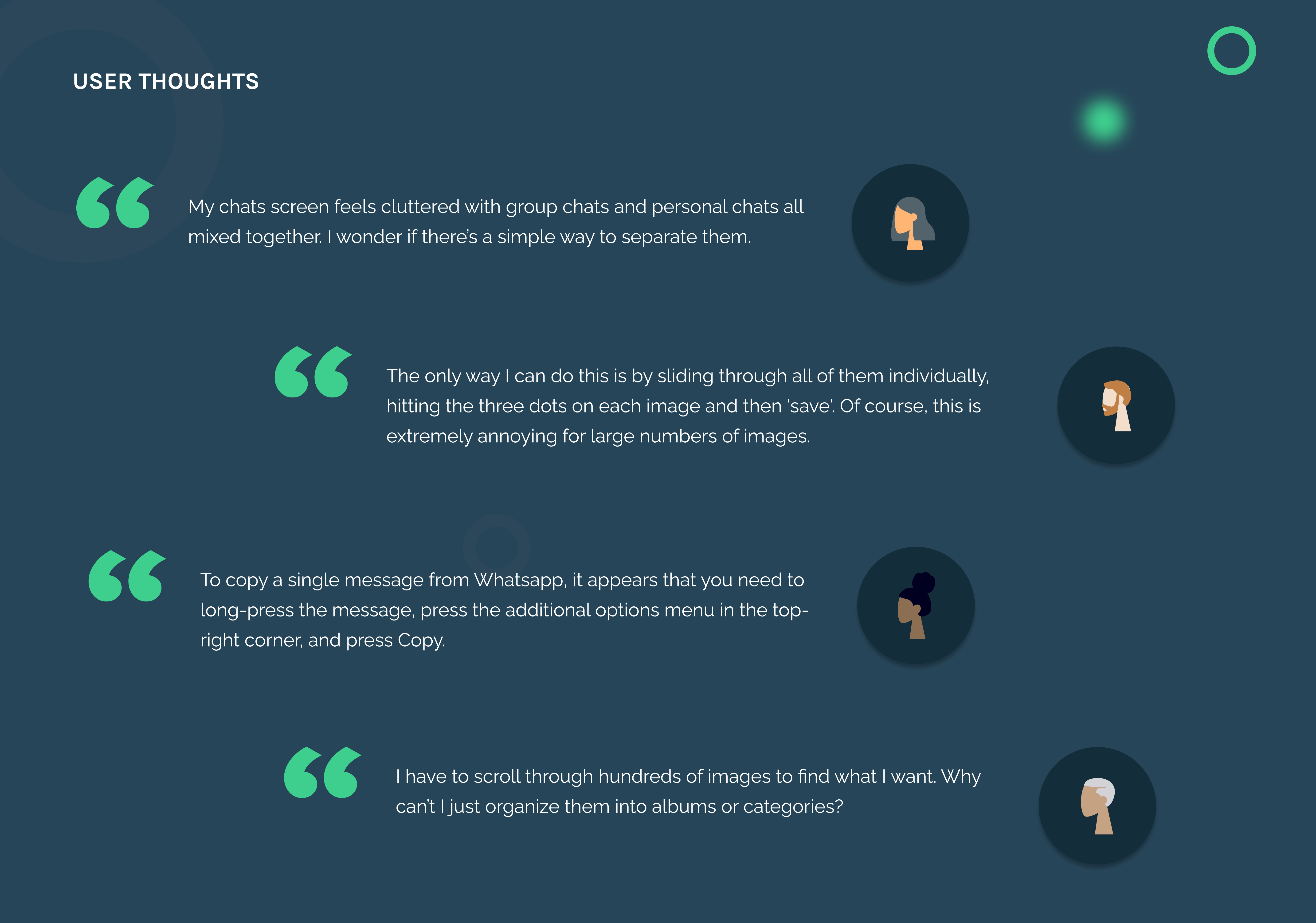
User Thoughts
Key Features
Clear Group Chat Differentiation
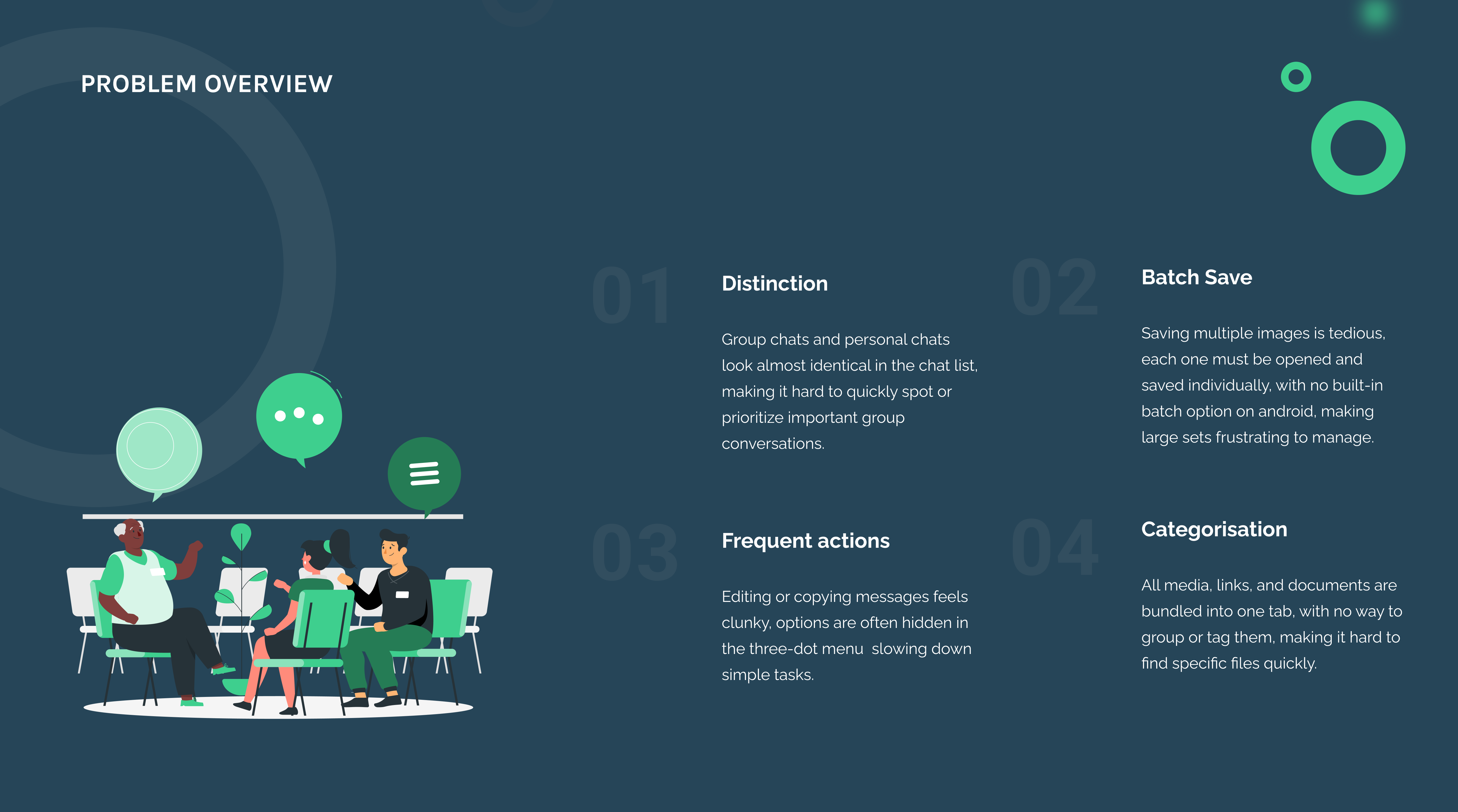
Problem statement
It's easy to lose track of group chats in WhatsApp because group and personal chats look nearly identical in the chat list. With the same rounded icons and layout, the only visual clue is a small group icon or the chat name, making it hard to quickly spot and prioritize group conversations.
Redesign
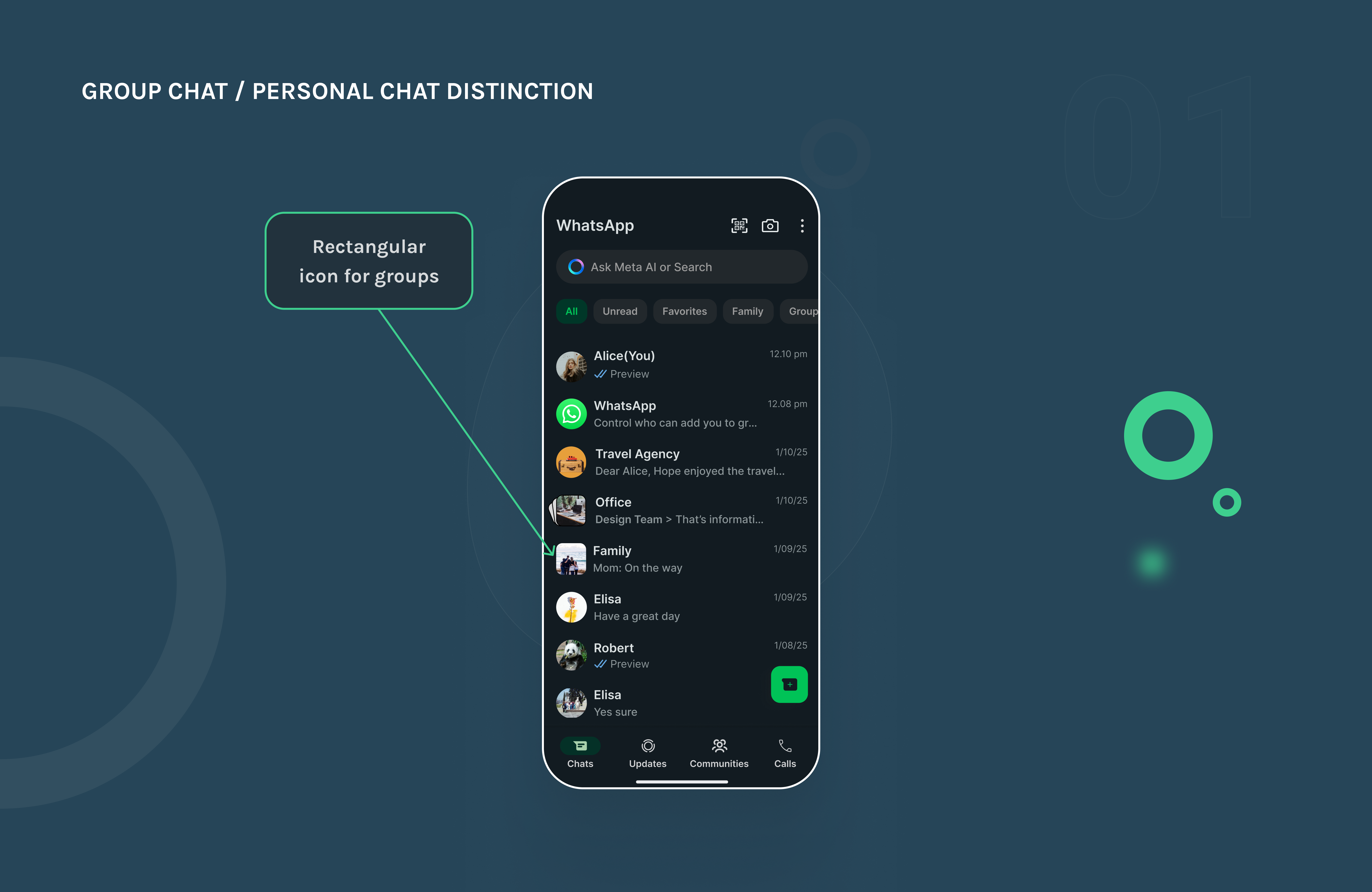
I added a distinct rectangular icon to group chats to visually separate them from personal conversations. This small but effective change makes it easier to scan the chat list and quickly spot group messages, reducing confusion and helping users stay organized across both personal and group interactions.
Batch Media Saving
Problem statement
Saving multiple images from a WhatsApp chat is frustratingly tedious. Users have to open each image individually, tap the three-dot menu, and hit save, again and again. There's no native batch save option in the chat view, and while iOS allows saving up to 5 at a time, Android doesn't support batch saving at all.
Redesign
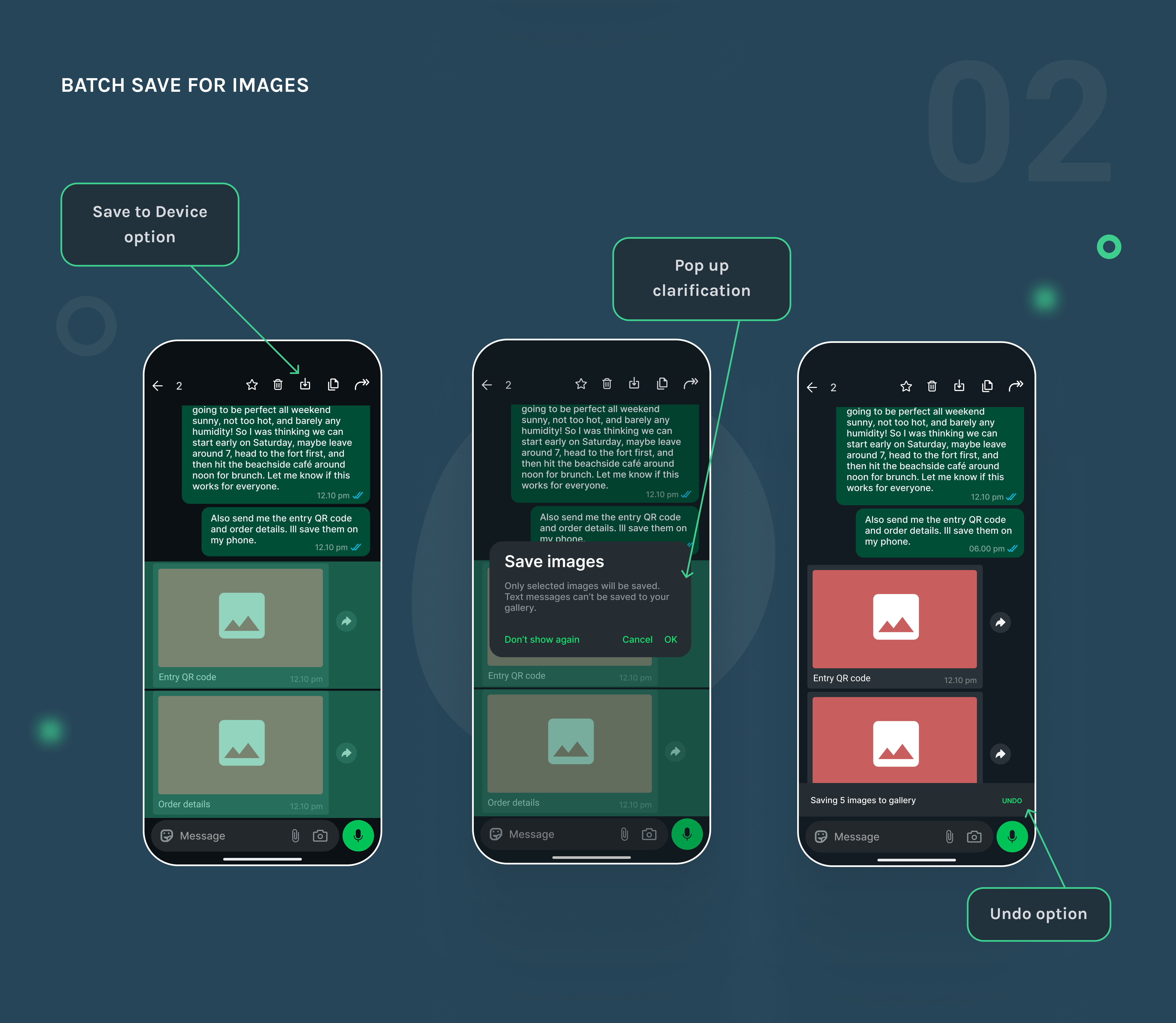
In my WhatsApp redesign, selecting multiple images (up to 5 for technical consistency and to avoid accidental bulk storage) shows a Save option in the top action bar, so users don't need to open and save each image one by one. This is especially useful for those who keep Media Visibility off to keep their gallery clean, allowing them to save only what they need. If a mix of images and text is selected, a pop up appears: "Save Images: Only selected images will be saved. Text messages can't be saved to your gallery." After saving, an Undo toast appears for quick reversal if needed. The result is a faster, cleaner way to manage important photos from trips, events, or work chats.
Reduced Steps for Edit and Copy Actions
Problem statement
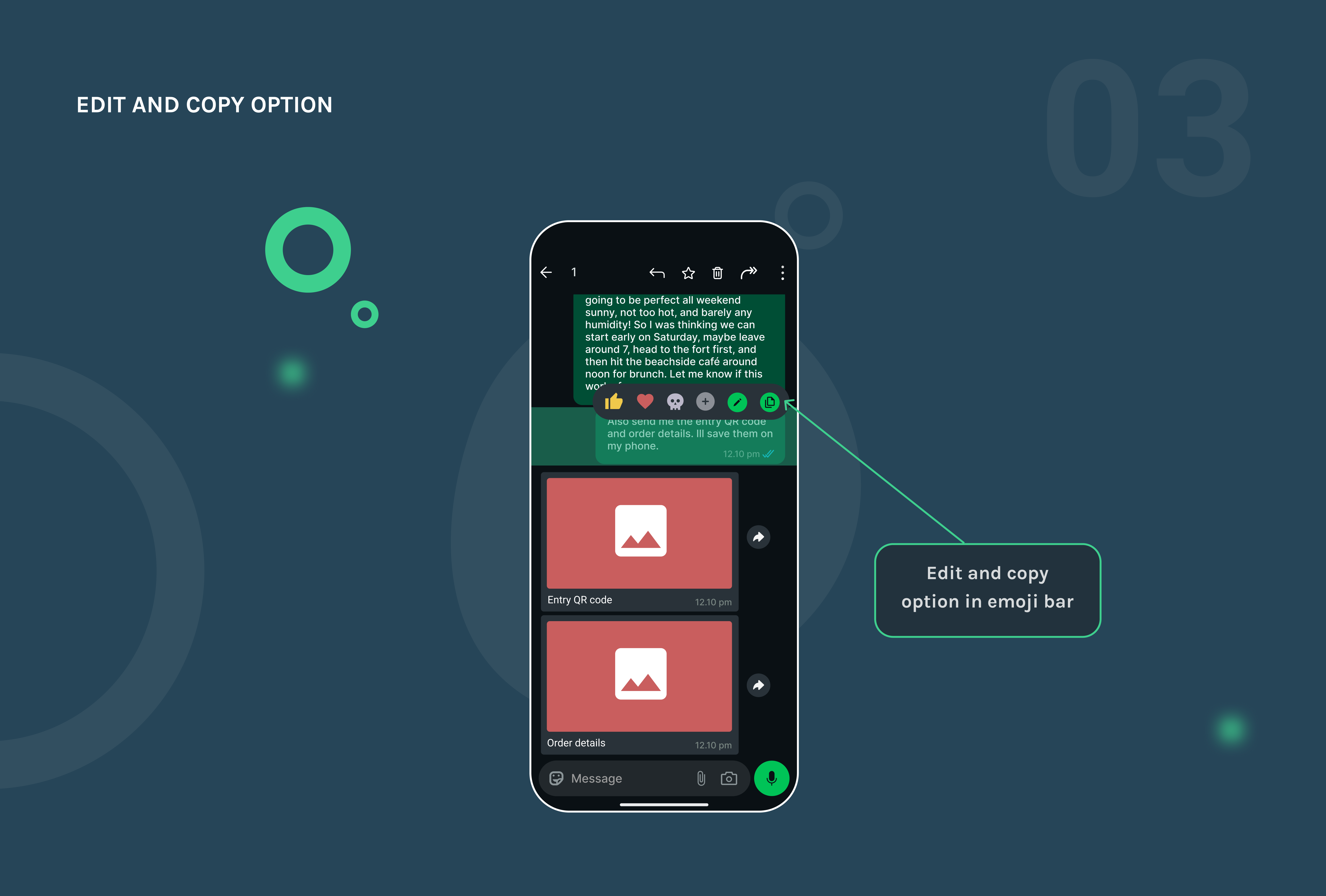
Editing or copying a message should be effortless, but in WhatsApp it often takes too many steps. For each message, you need to tap the three-dot menu and then select the desired action, adding unnecessary friction to something that should be quick.
Redesign
I placed the edit and copy actions directly in the emoji bar for single messages, eliminating the need to dig through menus. These actions are now more visible with distinct icons, making frequent tasks like fixing typos or copying information much faster and more intuitive.
Personalized Categorization of Media, Links, and Docs
Problem statement
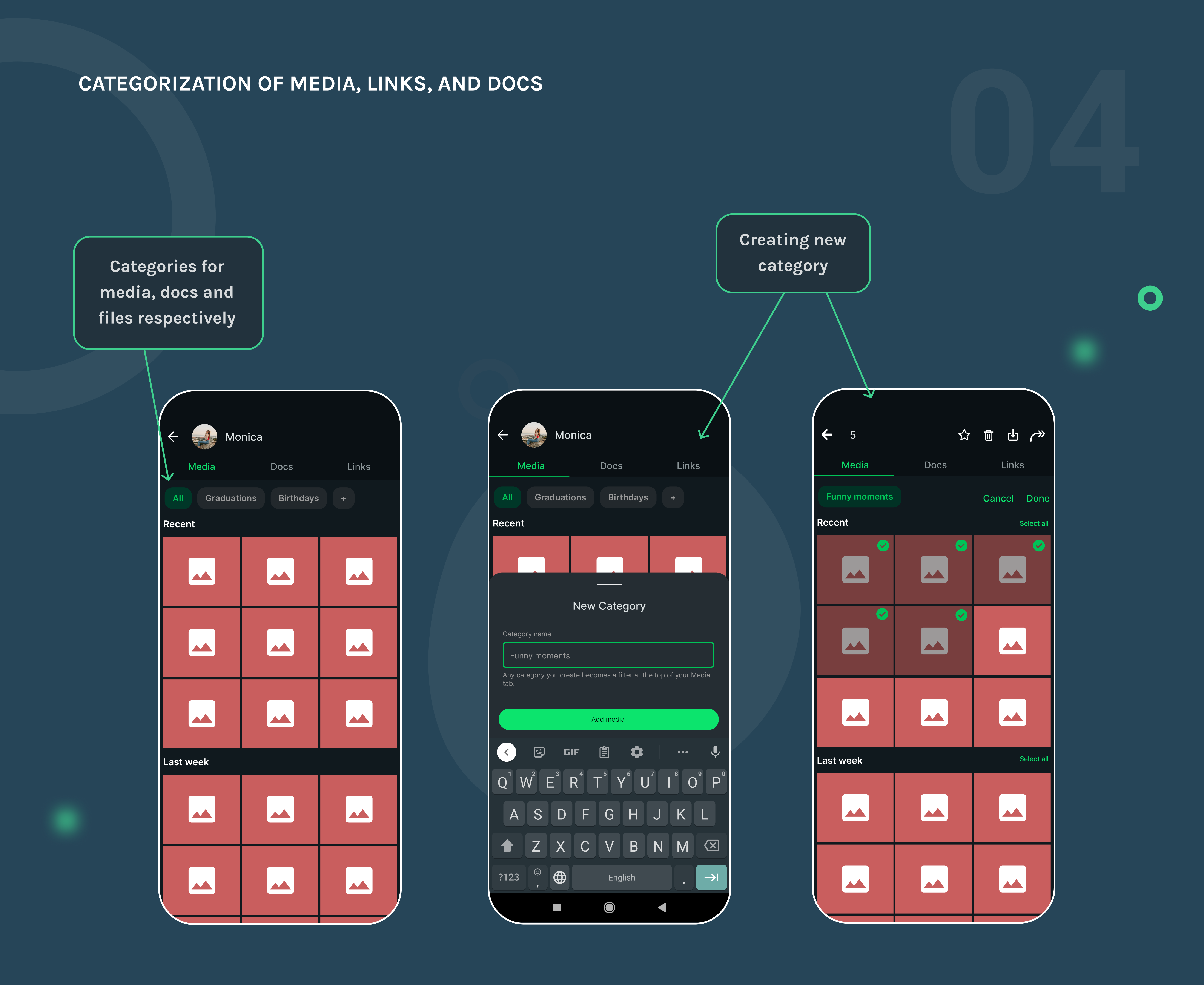
WhatsApp dumps all your media, links, and documents into a single tab respectively per chat, displaying everything in one long, chronological list. If you're trying to find a specific photo, receipt, or file, you're stuck scrolling through the entire feed, with no folders, albums, or tagging options to organize or retrieve content more easily.
Redesign
In my redesign, I introduced the ability to save media into custom categories, like "Receipts," "Travel," or "Funny Moments." This allows users to organize important files and photos directly within WhatsApp, without cluttering their phone's main gallery or using up Google Photos storage. It makes retrieving specific content quick and painless, eliminating the need for endless scrolling through a disorganized feed.
Other Projects